Using Car Navigation Systems When Renting a Car in Japan
One of the most common challenges for overseas visitors driving in Japan is navigation. Unlike many countries where a smartphone app alone is sufficient, Japan's complex road networks, frequent tunnels, and mountainous terrain make the built-in car navigation system an essential tool for a safe and stress-free journey. Understanding how to use both the in-car GPS and your smartphone effectively will make a significant difference in your rental car experience.
Understanding the Built-In Car Navigation System
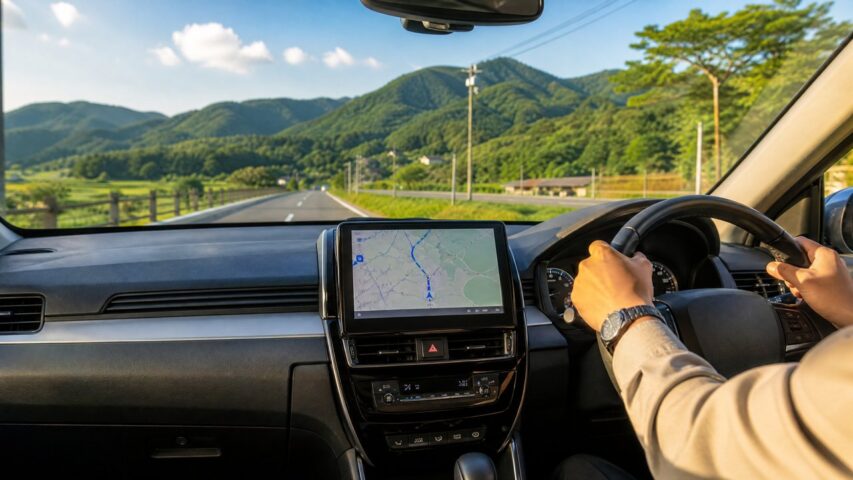
Almost all rental cars in Japan come equipped with a built-in car navigation system as standard. These systems are designed specifically for Japan's road network and offer several advantages over smartphone apps. The most important feature to understand is the MAPCODE system. Rather than entering a full Japanese address, you simply input a short numeric code — typically 6 to 10 digits — that pinpoints virtually any destination in Japan. Every major tourist attraction, hotel, restaurant, and scenic viewpoint has its own MAPCODE, which you can look up in advance on websites such as mapion.co.jp or through the destination's official website.
To set a destination using MAPCODE, press the MENU button on the navigation screen, select Destination, then choose MAPCODE from the input options. Enter the code and confirm. The system will immediately calculate the optimal route. Alternatively, most built-in systems also accept a destination's phone number as an input method — a practical option for hotels, restaurants, and shops that have listed contact numbers.
Switching the Navigation Language to English
Many modern rental car navigation systems in Japan support multiple languages, including English, Simplified Chinese, and Korean. To switch to English, access the system settings through the MENU button and look for a language or display settings option. The exact steps vary slightly by model, but most Toyota, Nissan, and Honda rental vehicles follow a similar procedure. If you are unsure, the rental counter staff can assist you with the initial setup before you drive away.
Using Google Maps and Smartphone Apps as a Supplement
While the built-in navigation system is your primary tool, Google Maps remains a valuable supplement for planning and research. Before your trip, download an offline map of the region you will be visiting through the Google Maps app. This allows you to browse maps and search for locations even without a mobile data connection. However, be aware that turn-by-turn navigation and real-time traffic updates require an active internet connection.
For drivers who prefer a smartphone-based solution, Yahoo! Car Navigation (Yahoo!カーナビ) is widely regarded as one of the best free navigation apps for driving in Japan. It provides accurate real-time routing, speed camera alerts, and detailed expressway guidance. The app is primarily in Japanese, but its interface is intuitive enough for non-Japanese speakers to use with basic familiarity.
Tips for Setting Expressway Routes
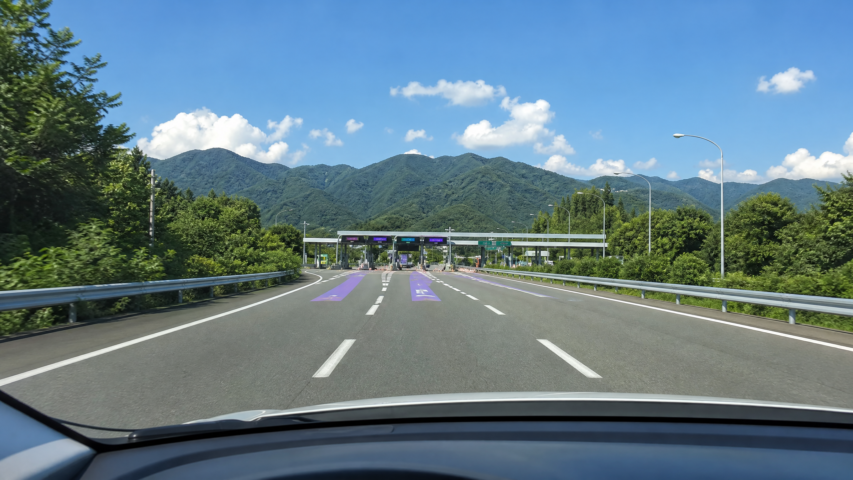
When planning a longer drive that includes expressways, make sure to configure your navigation system to include or exclude toll roads according to your preference. Built-in systems typically offer route options such as fastest route, no toll roads, or shortest distance. If you have rented an ETC card from the rental company, selecting the expressway route is recommended for both speed and convenience, as ETC lanes allow you to pass through toll gates without stopping.
Practical Advice Before You Drive
There are a few practical steps worth taking before you leave the rental lot. First, confirm that the navigation system's language is set to your preference. Second, look up the MAPCODEs for your key destinations — your hotel, major attractions, and the rental car return location — and note them down or save them on your phone. Third, if you plan to use Google Maps, download the offline map for your region while you still have Wi-Fi access at the airport or hotel. Finally, keep your smartphone charged using the car's USB port or a car charger, so it remains available as a backup navigation tool throughout your journey.
With a little preparation, navigating Japan's roads by rental car becomes a smooth and enjoyable experience. The combination of a reliable built-in GPS and a smartphone app gives you the flexibility to explore both well-known destinations and hidden local gems with confidence.